Translate Layer
Table of ContentsClose
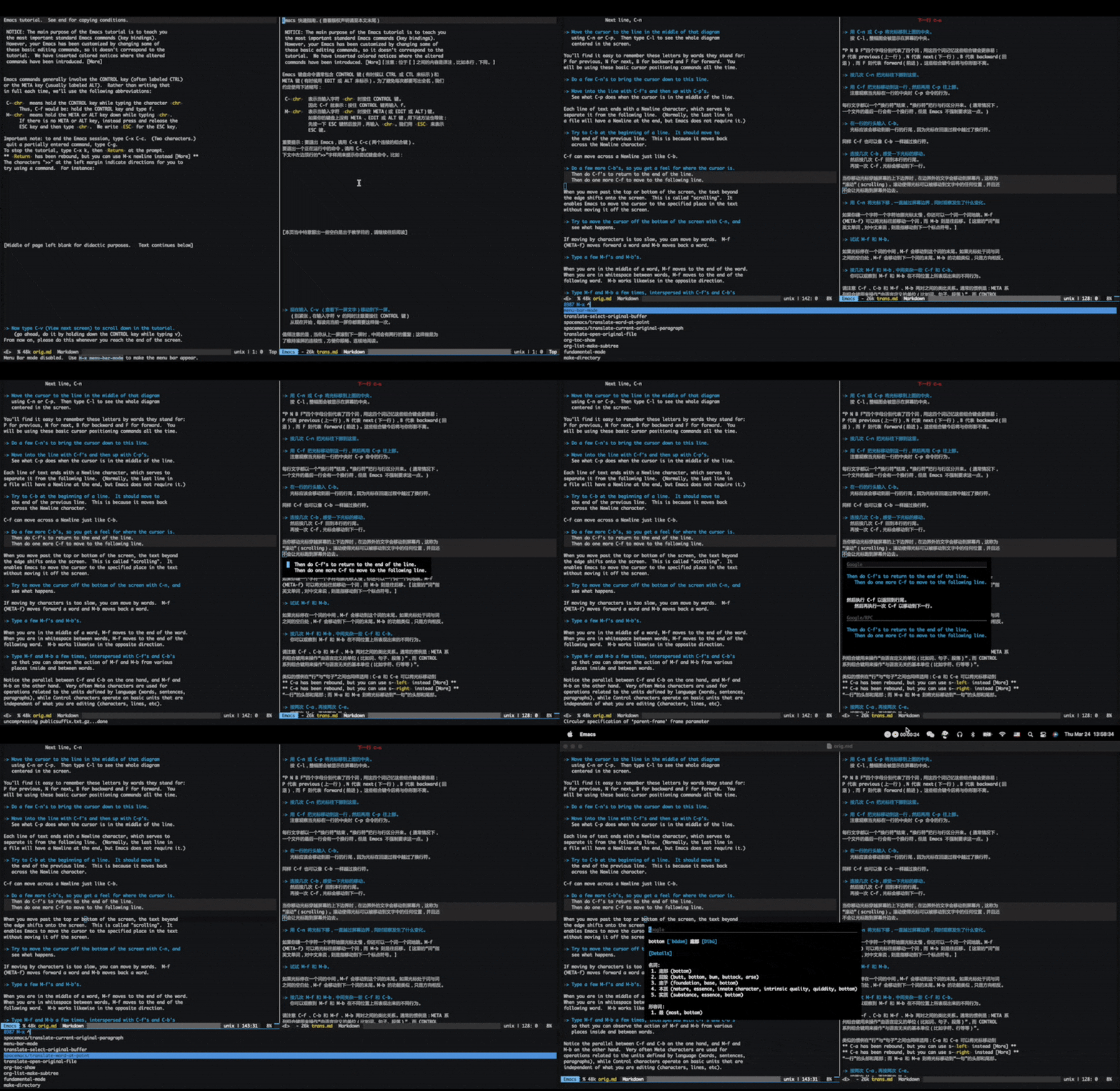
1. Description
This layer is designed for Paragraph-oriented minor mode for side-by-side document translation workflow.
1.1. Features:
- Paragraph-oriented side-by-side document translation workflow
- Integrate word/paragraph online translation
2. Install
To use this configuration layer, add it to your ~/.spacemacs. You will need to
add translate to the existing dotspacemacs-configuration-layers list in this file.
3. Usage
It's quite simple to use this layer. Open the translation file you are currently working
on, and call command translate-open-reference-file or translate-select-reference-buffer
to set the reference buffer or open an existed reference file. Now you can just keep your
cursor in your translation buffer. The cursor in the reference buffer will be kept in
sync with the cursor in the translation buffer.
4. Configuration
All layer configurations can be done by setting layer variables in your dotfile. No custom user config lines are necessary. For more details please see the homepage of package translate-mode and gt.
4.1. Languages
You need to set languages to make online translation work.
(translate :variables gt-langs '(en zh fr))
4.2. Highlighting
Set translate-enable-highlight to nil to disable highlighting.
(translate :variables translate-enable-highlight nil)
4.3. Read-only
You can set translate-reference-buffer-read-only to t to make the reference buffer read-only.
(translate :variables translate-reference-buffer-read-only t)
4.4. Face
The face of highlight paragraph can be customized by translate-paragraph-highlight-face.
Put this following line into custom-set-faces in your ~/.spacemacs file to set the background
color to red, for example.
'(translate-paragraph-highlight ((t (:extend t :background "red"))))
5. Key bindings
| Key binding | Description |
|---|---|
SPC a t T t |
Toggle translate-mode |
SPC a t T p |
Open a translation list buffer for current paragraph in the reference buffer |
SPC a t T w |
Popup translation list for word at point, also can be used on regions |
SPC a t T f |
Prompt to open the reference file |
SPC a t T b |
Prompt to select a buffer and set it as the reference buffer |
SPC a t T h |
Toggle paragraph highlighting |
6. Variables
These variables can be used to customize translate layer.
| Variable | Default Value | Description |
|---|---|---|
translate/paragraph-render |
'posframe |
Paragraph translation render. Valid values are 'posframe and 'buffer. |
translate/word-render |
'posframe |
Word translation render. Valid values are 'posframe and 'buffer. |